Table of Contents
Introduction
Choosing the right device to stream IPTV in 2025 can be a game-changer — especially in the UK, where more users are cutting the cord and going fully digital. Two of the top choices are the IPTV Box and the Amazon Firestick. But which one truly delivers the best performance, quality, and value? In this in-depth guide, we break down the battle of IPTV Box vs Firestick and help you decide which is better for your streaming needs in 2025.
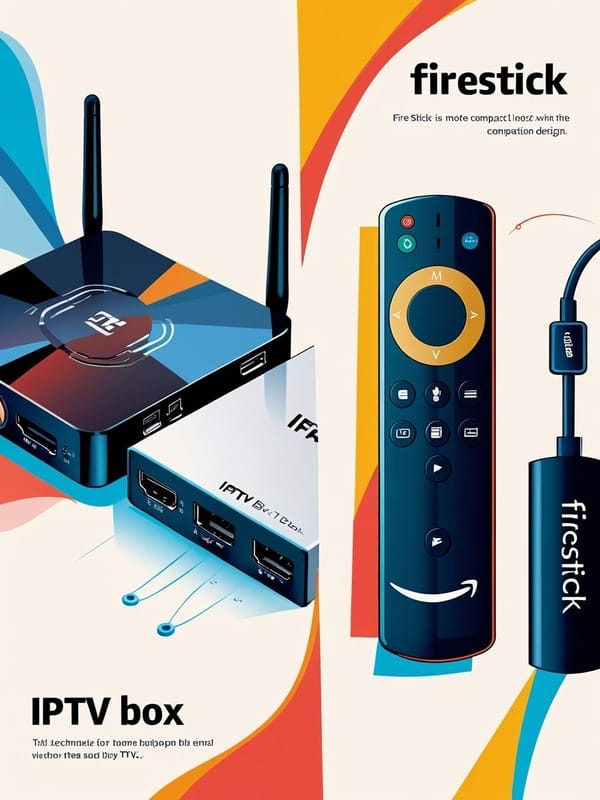
What Is an IPTV Box vs Firestick?
Let’s break it down:
- IPTV Box: A standalone device designed specifically for streaming IPTV content. Brands like MAG Box, Formuler Z, and BuzzTV are made with IPTV optimization in mind.
- Amazon Firestick: A general-purpose streaming stick that plugs into your TV’s HDMI port, with access to IPTV apps through sideloading or app stores.
Both are used to watch IPTV services — live TV, sports, movies, and VOD — but their performance, flexibility, and features differ greatly.
Why It Matters
Your streaming device can make or break your IPTV experience. From buffering to picture quality, the wrong device can limit your ability to enjoy ultra-smooth HD or 4K streams. Whether you’re watching Premier League football or bingeing shows, choosing the right hardware in 2025 ensures you get the most out of your IPTV subscription.
Benefits Comparison: IPTV Box vs Firestick in 2025
IPTV Box Advantages
✅ Built for IPTV
✅ Better heat management and stability
✅ Supports advanced IPTV apps like MyTVOnline or XCIPTV
✅ More storage, RAM, and processing power
✅ Easier channel navigation with physical remotes
Firestick Advantages
✅ Affordable and easy to find
✅ Portable — perfect for travel
✅ Access to tons of streaming apps (Netflix, YouTube, IPTV)
✅ Customizable with sideloading (IPTV Smarters, TiviMate)
✅ Alexa voice remote included
Getting Started with Either Device
For an IPTV Box:
- Choose a reliable brand (e.g., Formuler Z11 Pro Max)
- Connect via Ethernet or Wi-Fi
- Install your IPTV player (e.g., MyTVOnline2, XCIPTV)
- Input your playlist or M3U link
- Start streaming
For Firestick:
- Plug into your TV’s HDMI port
- Connect to Wi-Fi
- Download an IPTV app like IPTV Smarters Pro or TiviMate
- Sideload if needed using Downloader app
- Input login or playlist info
Best IPTV Apps for Both Devices in 2025
| IPTV App | Works Best On | Key Features |
|---|---|---|
| IPTV Smarters Pro | Firestick + IPTV Box | Clean UI, supports multiple logins |
| TiviMate | Firestick + IPTV Box | Advanced EPG, recording, customization |
| MyTVOnline2 | IPTV Boxes only | Exclusive to Formuler Boxes, high performance |
| XCIPTV | IPTV Boxes | Feature-rich, stable with premium designs |
Expert Tips for Choosing Between IPTV Box and Firestick
- Go with IPTV Box if you want reliability, power, and advanced IPTV app features.
- Choose Firestick if you’re on a budget or need portability.
- Use Ethernet on IPTV boxes for stronger streaming performance.
- Update your device firmware regularly for the best performance.
- Pair your IPTV service with a good VPN for privacy and geo-unblocking.iptv
Final Verdict
In the IPTV Box vs Firestick showdown of 2025, the choice depends on your needs:
- Want power and premium IPTV features? Go for a dedicated IPTV box.
- Need portability and affordability? Choose the Amazon Firestick.
Whichever you pick, make sure your IPTV service is compatible, stable, and optimized for UK content in 2025. Your ultimate IPTV experience starts with the right device.in the final the iptv in uk its better than cables.